
Beta Email for iPhone, now on TestFlight
Your inbox,
finally calm.
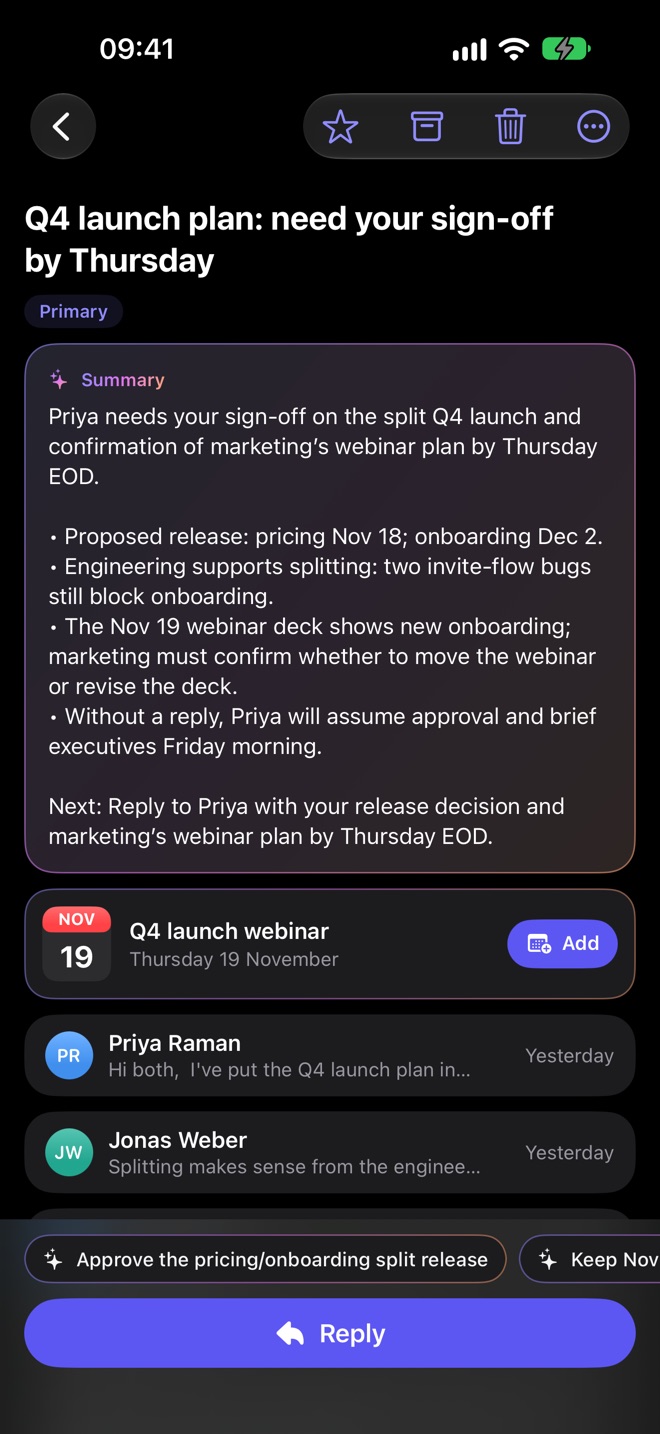
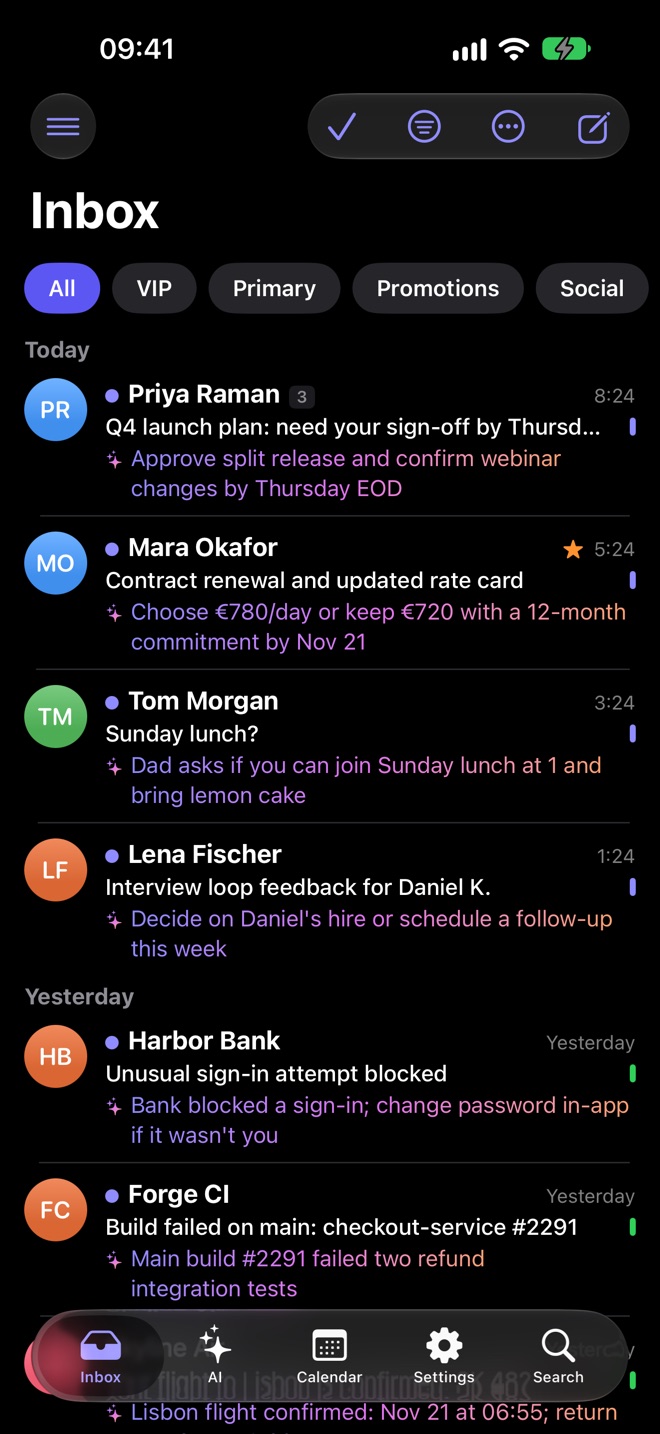
Plume reads the room so you don’t have to. Every email gets a one-line gist, junk and scams stay out of sight, long threads shrink to a summary and replies start drafted in your words.
Works with Gmail, Outlook and Microsoft 365, iCloud, Yahoo and any IMAP provider.
- 5kinds of inbox in one app
- ~35languages for one-tap unsubscribe
- 0emails stored on our servers
- 24/7sorting, even without the cloud AI
Every inbox.
One calm app.
Bring the accounts you already have. Gmail and Outlook sign in on Google’s or Microsoft’s own page; everything else finds its servers on its own.
- Gmail
- Outlook & Microsoft 365
- iCloud
- Yahoo
- Any IMAP provider
iPhone, iPad, Mac, Android and Windows
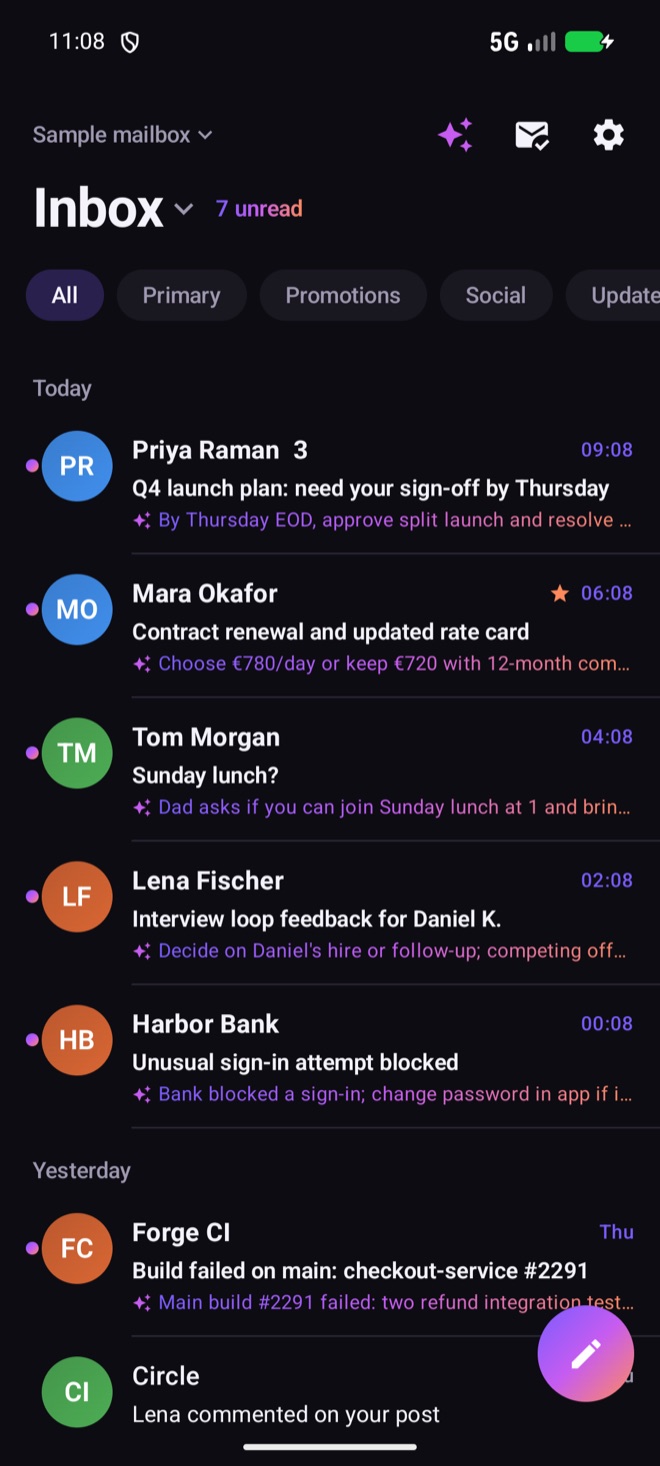
Your inbox, on every screen.
Plume is on iPhone in TestFlight beta today. iPad, Mac, Android and Windows are coming next, with the same AI and the same calm inbox, and your accounts restored if you turn on the encrypted backup.
- iPhone · TestFlight beta
- Android · coming soon
- Mac · coming soon
- Windows · coming soon
Download
Get Plume everywhere
you read email.
One calm inbox on your phone, tablet and computer. Plume is in TestFlight beta on iPhone today; join the beta and we’ll email you the moment your platform is ready.
-
iPhone & iPad
Plume for iOS and iPadOS, with widgets and Apple Watch.
Coming soon to theApp Store -
Mac
Native Mac app, from the Mac App Store or as a signed .dmg download.
Coming soon to theMac App Store -
Android
Plume for Android phones and tablets.
Coming soon to theGoogle Play -
Windows
Plume for Windows 10 and 11, as a signed installer.
Coming soon to theWindows installer
Plume AI
Less reading.
More knowing.
Plume AI does the sorting, skimming and first drafts, and steps back when you want to take over.
Know what every email wants before you open it.
Mail lands in Primary, Promotions, Social or Updates, each with a one-line gist of what it actually wants from you. Spam and phishing attempts are caught and kept away from the mail that matters.
Fifty replies deep? Read four lines.
Get the decisions and open questions in a few lines, with quick replies ready to tap. Long PDF attachments get the same treatment before you open them.
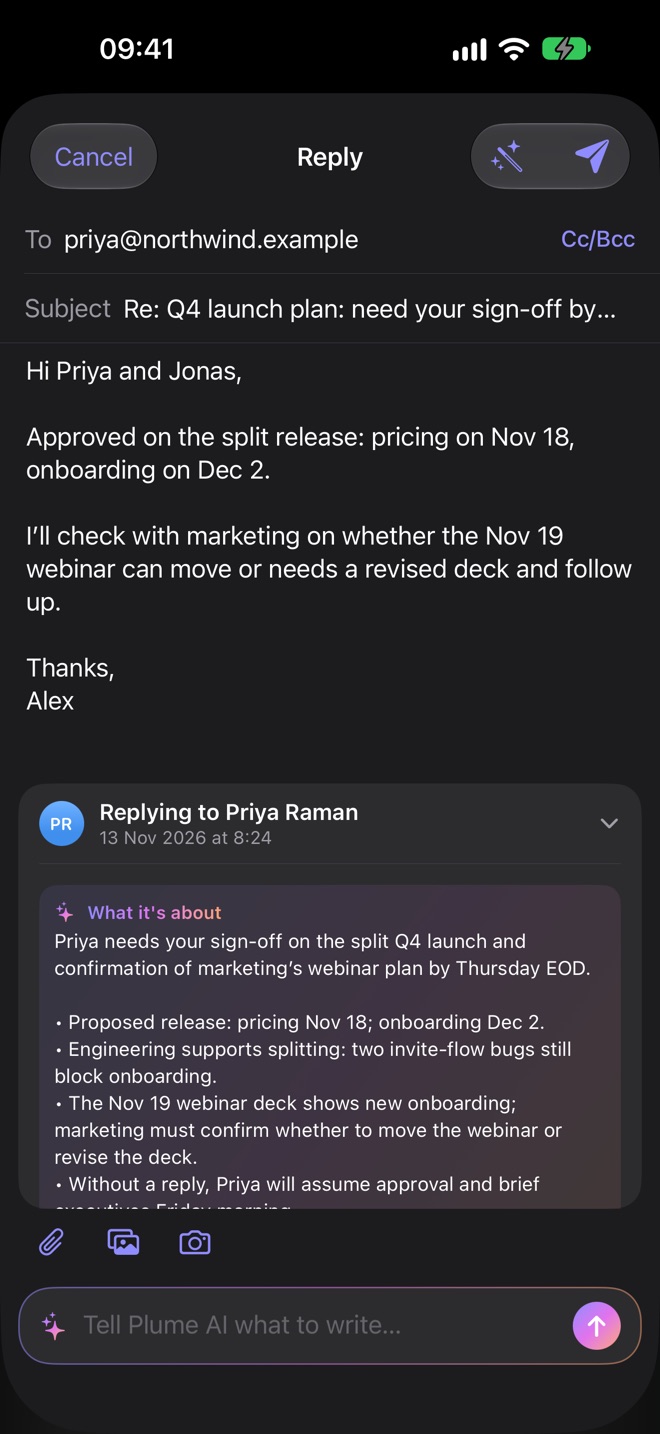
A first draft that sounds like you.
Plume drafts a reply that sounds like you. Tap a suggested reply or tell Plume AI what to say, then edit it or send it as it is.
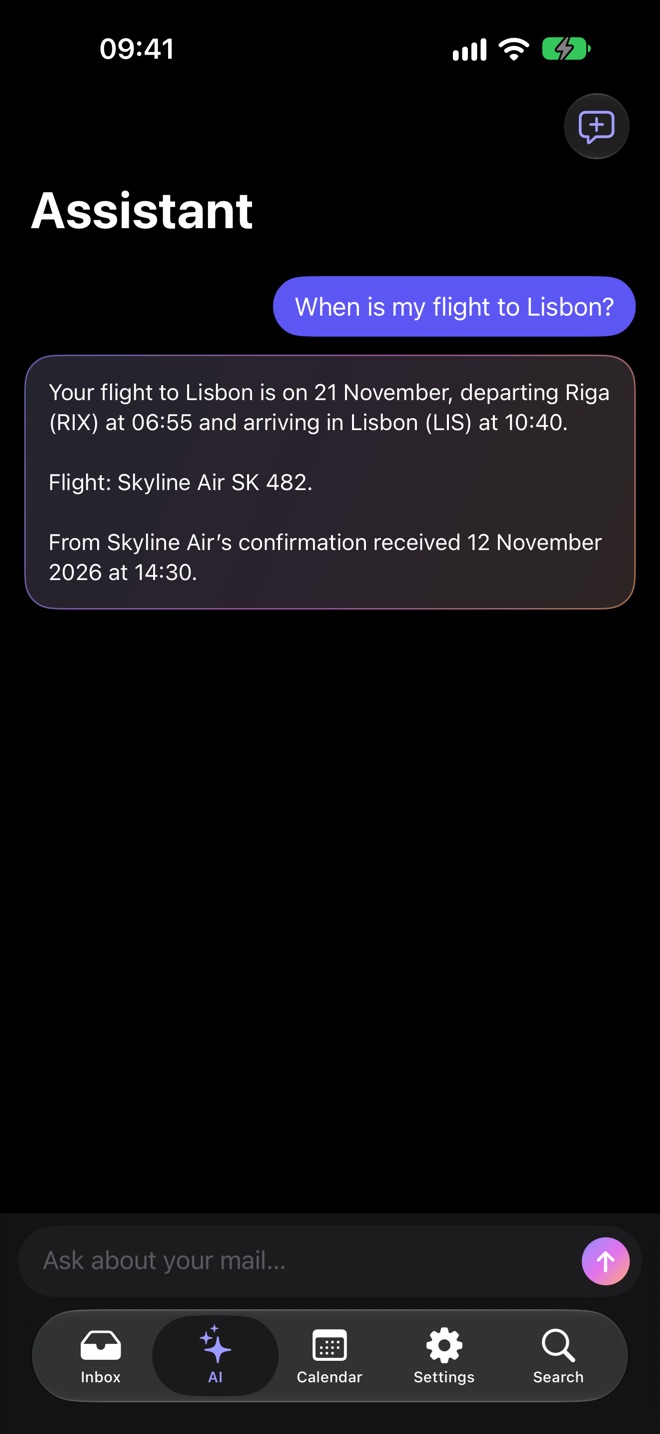
“When is my flight?” Just ask.
Ask a question and Plume finds the answer in your mail: flights, bookings, who’s waiting on you and what they need.
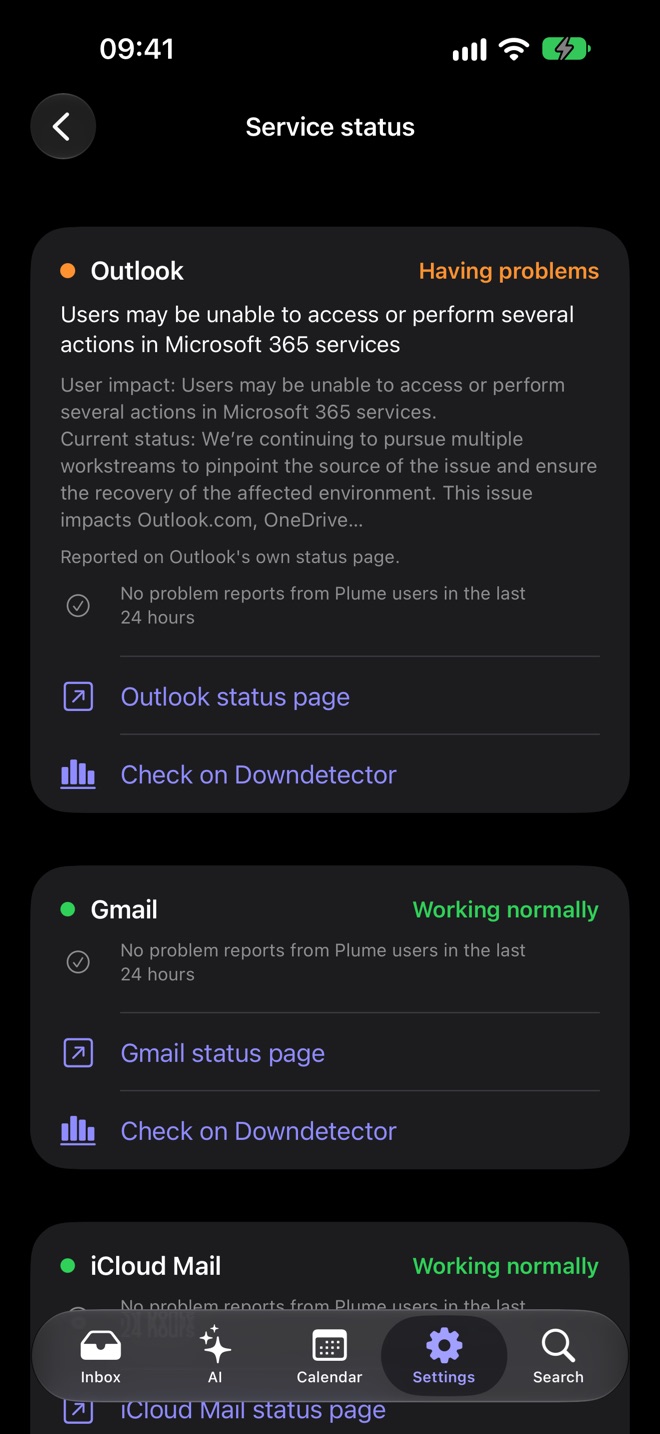
Outlook down? Plume tells you.
When Outlook, Gmail or iCloud has an outage, Plume shows it right in your inbox, straight from the provider’s own status page and from Plume users’ reports, so slow mail makes sense.
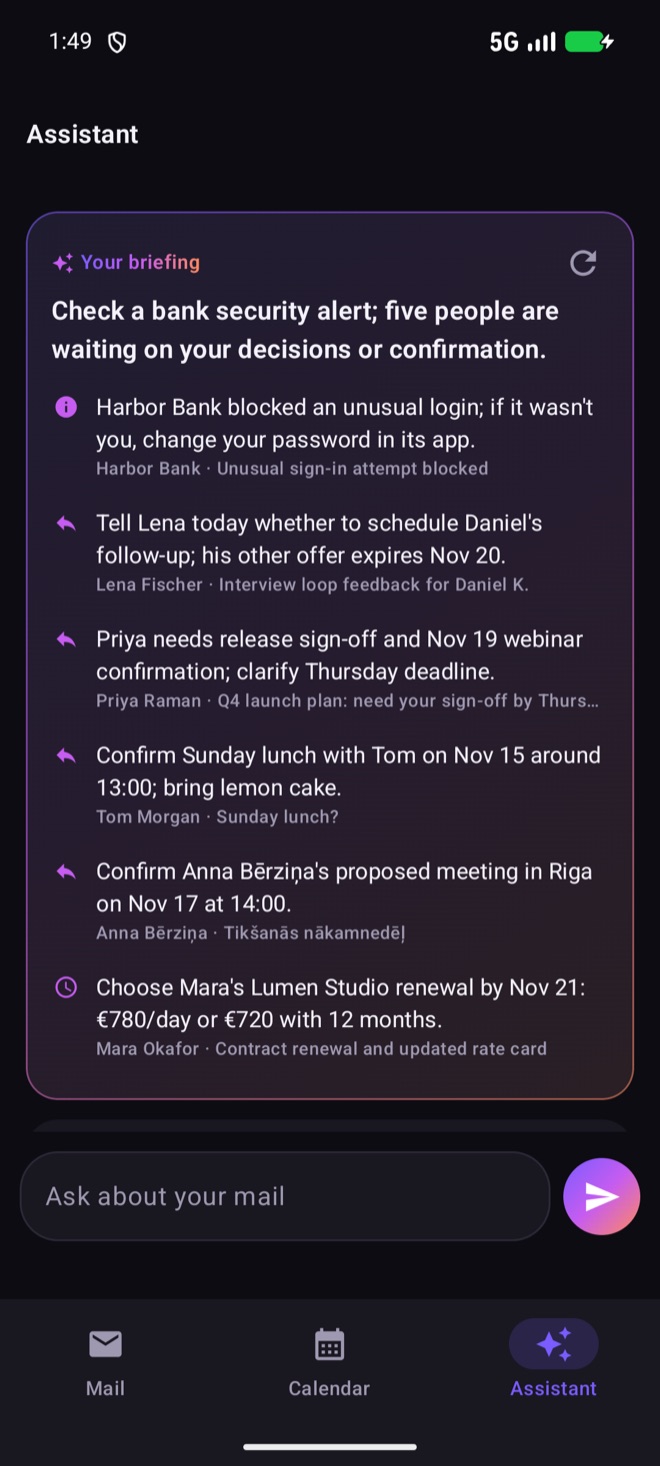
A daily briefing
One short overview of what came in and what needs you today.
Translate any email
Read mail written in another language without leaving the message.
Bills and receipts
Picked out with their due dates, plus what you spend each month.
Events into Calendar
Bookings and invites become Calendar events in a tap.
Always on
When the cloud AI isn’t reachable, Plume falls back to Apple's on-device model, so your inbox stays sorted.
Mail that behaves
The details that make
email quieter.
Instant alerts for Outlook
New Outlook mail reaches you the moment it arrives.
People, not newsletters
Choose to be alerted only when a person writes to you.
Undo Send
Caught a typo a second too late? Take it back.
Send Later
Write now, deliver in the morning.
Follow-up nudges
A reminder when a reply you’re waiting on hasn’t come.
VIPs
Keep the people who matter most one tap away.
One-tap unsubscribe
Works on mailing lists in around 35 languages.
Inbox Cleaner
Clear out the senders you never read, in bulk.
Sign-in codes
Verification codes show with a Copy button, no hunting.
A proper composer
Attachments, Cc and Bcc, and photos straight from the camera.
Templates
Reusable replies with placeholders you fill in as you go.
Your signature
Set it once and it’s there on every email.
Privacy and security
Private by design.
Safe to open.
Plume reads your mail directly from your provider to your device, with no Plume mail server in the middle. And every email you open is handled with care: no code runs, scam links get a warning, and connections are always encrypted.
No mail server
Your mail is never stored by Plume. Account sign-ins can be backed up, encrypted, and you can delete the backup any time.
Your password stays put
Gmail and Outlook sign in on Google’s or Microsoft’s own page, so Plume never sees that password. Other app passwords stay in this device’s Keychain.
Emails can’t run code
Scripts, forms and hidden frames are blocked in every email, so a message can’t swap in a fake sign-in page or send what you type.
Scam links get a warning
Links dressed up to look like your bank’s are flagged before they open, with what looks wrong.
Encrypted connections only
Plume never falls back to an unencrypted connection to your mail server, whatever the server’s settings say.
Face ID or a passcode
Lock Plume with Face ID or a Plume passcode of its own. Wrong guesses mean a longer wait.
Covered in the app switcher
Your inbox, and any email you’re writing, is hidden when you switch apps.
This website
No analytics, no cookies and no third-party scripts, which is why there’s no cookie banner here.
See everything Plume does to keep your email safe. The privacy policy has the full details, including how Plume AI handles the text it works on.
Questions
Can I download Plume today?
Plume is in beta on TestFlight and is coming soon to the App Store. Join the beta with your email address and we'll send you an invite.
Which email accounts does Plume work with?
Gmail, Outlook and Microsoft 365, iCloud, Yahoo and any provider that offers IMAP. For IMAP, Plume finds the server settings for you.
Does Plume store my email on its servers?
No. Plume has no mail server: your mail goes straight from your provider to your iPhone and is never stored by Plume. When you sign in with Google or Microsoft, Plume backs up your email account settings and sign-ins, encrypted, so a new iPhone gets all your accounts back. You can delete that backup any time in Settings. Plume also keeps your device's push token so new-mail alerts can reach you.
How does Plume protect me from dodgy emails?
Emails in Plume can’t run scripts, send forms or load hidden pages, so a message can’t pretend to be a sign-in screen. Links that use common scam tricks get a warning before they open, Plume AI moves phishing and scams out of the way, and Plume only connects to mail servers over encryption. More on security.
What happens if the AI can't be reached?
Plume falls back to Apple's on-device model, so sorting, gists and summaries keep working when the cloud AI isn't reachable.
Will Plume buzz for every newsletter?
No. You can choose to be alerted only when a person writes to you, not when newsletters and notifications arrive. Outlook accounts get new-mail alerts instantly.
How do I unsubscribe from mailing lists?
Tap unsubscribe on the email. Plume recognises unsubscribe links in around 35 languages, and Inbox Cleaner helps you clear out senders you no longer read.
Does this website use cookies or analytics?
No. This site sets no cookies and runs no analytics or third-party scripts, which is why there's no cookie banner. If you join the beta we keep your email address, and your provider if you tell us, only to invite you.

Be first into a calmer inbox.
Plume is in TestFlight beta now. Leave your email and we’ll send you an invite.